Placing the avalanche bulletin on the actual mountain
A danger rating on its own doesn't tell you which slope it applies to. Placing the bulletin on the terrain in front of you does.
The problem
Avalanche risk isn't one flat number for the whole day — it depends on slope angle, aspect, elevation, and what the bulletin actually says for that region. Treating a “3 – Considerable” rating as a single answer for the whole mountain misses where the real danger sits.
Why it happens
ALBINA Regions pulls the official regional danger rating (1–5) and warning-region polygons straight from the EAWS / ALBINA bulletin. Avalanche Slope's Live mode goes further, cross-referencing terrain aspect and altitude against the specific avalanche problems named in today's bulletin.
How to check it in First Chair
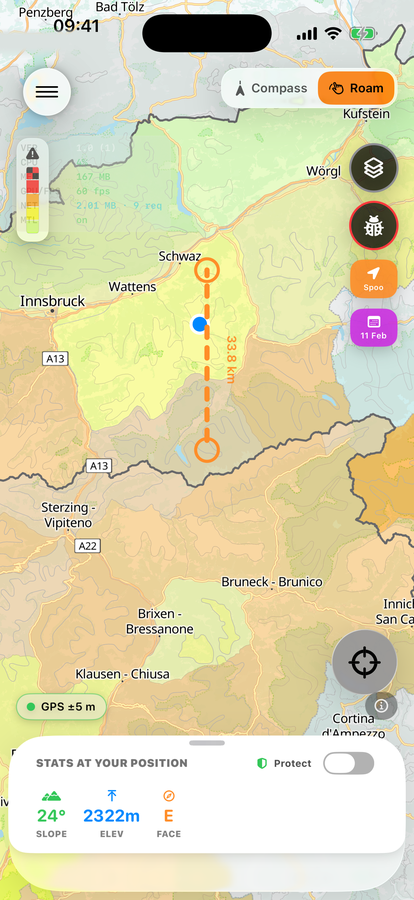
ALBINA Regions
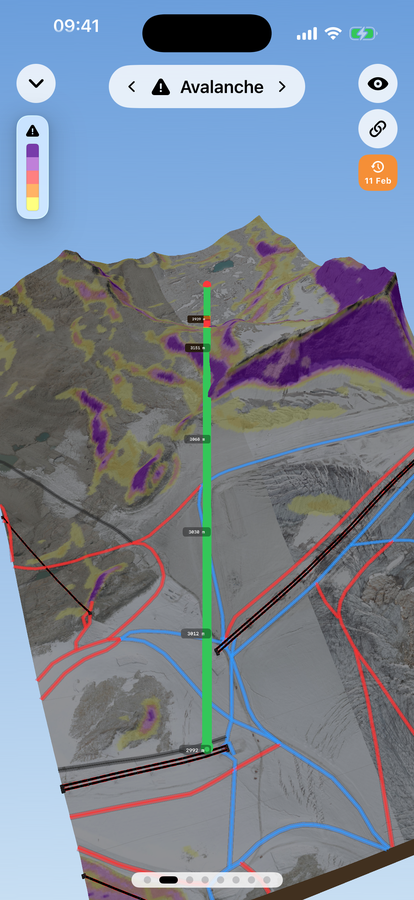
Shot line, Avalanche lens
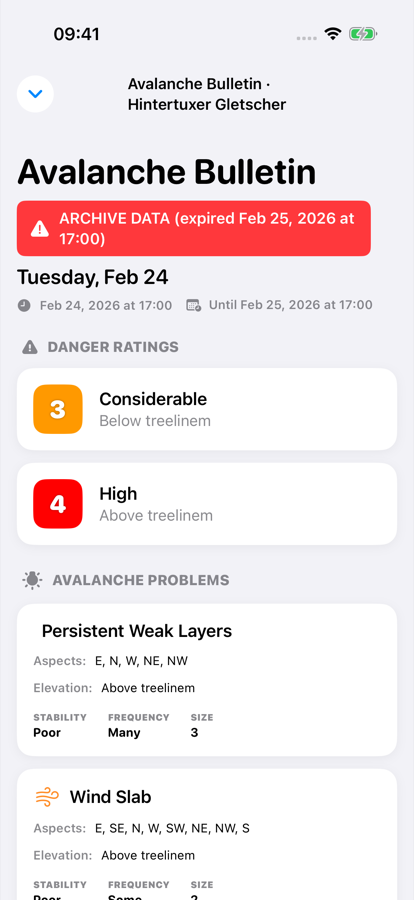
Full bulletin
-
Check the regional rating
Turn on ALBINA Regions to see the official danger rating for the region you're in — straight from the published bulletin, not an in-app estimate.
-
Switch Avalanche Slope to Live mode
It flags the slopes whose aspect and elevation match today's specific bulletin problems, not just the raw angle.
-
Point the lens at a slope you're considering
In Shoot/Compass mode, the flagged terrain overlays directly over the real view.
-
Read the bulletin's written text too
The layer tells you where extra caution applies — it doesn't tell you a slope is safe.
Free to download · iPhone & Apple Watch
Download on the App Store