Taking a resort offline before you lose signal
Terrain, runs, avalanche zones and the mountain map are only useful if they're already on your phone before you leave coverage — not while you're standing on a ridge with one bar.
The problem
Most resort terrain sits somewhere between "spotty LTE" and "no signal at all," and it's rarely obvious in advance which side of that line you'll be on. First Chair's maps, elevation profiles, avalanche-relevant terrain layers and run data all load from the network by default — useful in the parking lot, useless halfway up the ridge if nothing was cached first.
What actually gets downloaded
A resort download pulls four separate things onto your phone: elevation data (for the 3D terrain and slope-angle calculations), the base map and satellite imagery, the runs-and-lifts overlay, and the derived terrain layers — Steepness, Avalanche, Cliffs and Sun exposure — which First Chair computes on-device once elevation data is present. Nothing here depends on a live connection once it's finished.
How to download a resort in First Chair
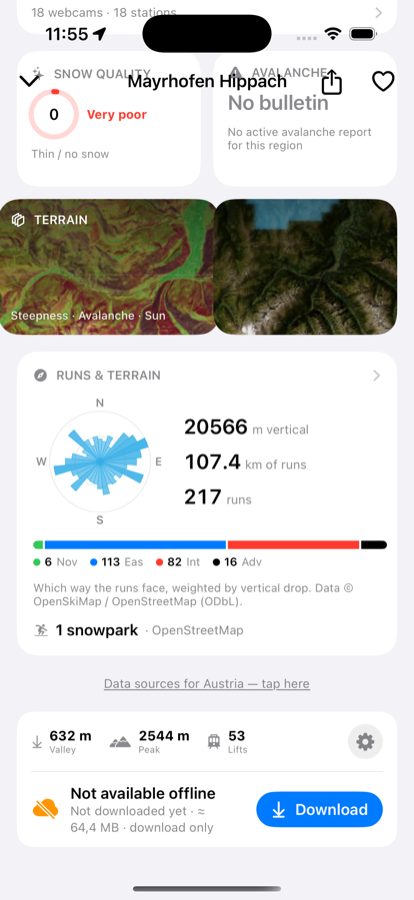
Before
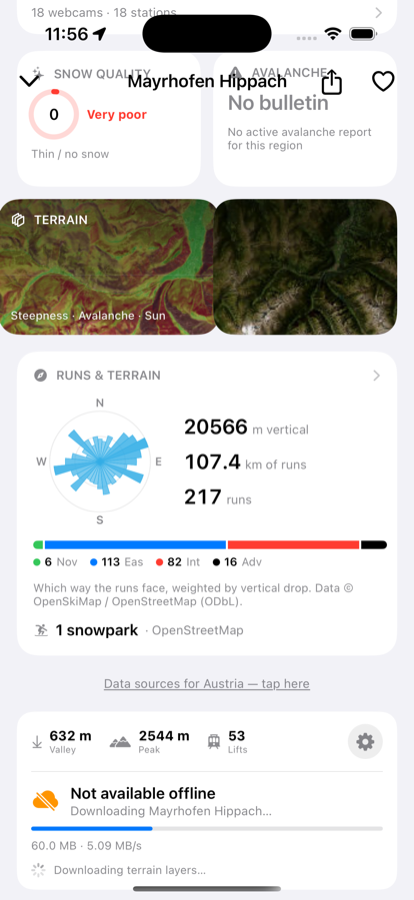
Downloading
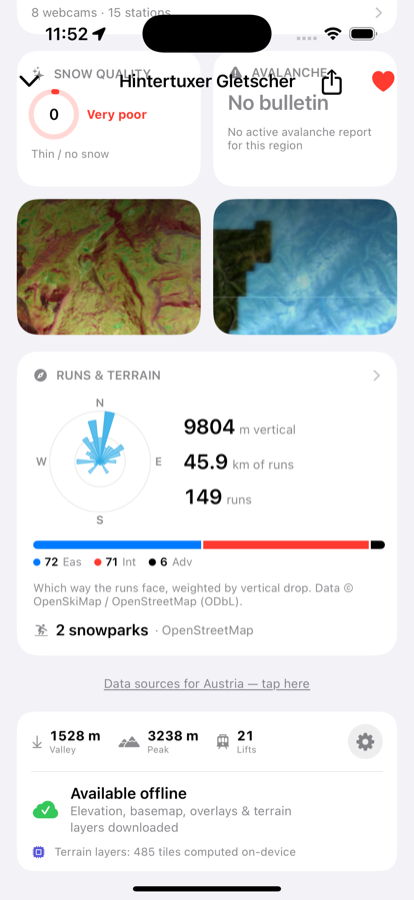
Done
-
Open the resort's detail page
Search for it or tap it from your favorites — either way, scroll to the bottom of the page.
-
Check the download card
"Not available offline" means nothing is cached yet. It also shows the estimated size before you commit to it.
-
Tap Download and stay on Wi-Fi if you can
Elevation comes first, then the map imagery and runs data, then the terrain layers get computed on-device from what's now local. The card tracks MB downloaded, speed and an ETA the whole way through.
-
Wait for "Available offline"
That's the whole resort — terrain, map, runs and avalanche-relevant layers — working with the phone in airplane mode.
Free to download · iPhone & Apple Watch
Download on the App Store