Reading where the wind moved the snow
Fresh snow doesn't stay where it falls. Wind loads some slopes and scours others — often within a few hundred meters of each other.
The problem
It snowed, but the slope doesn't ride like it should have — part of it is wind-packed and heavy, part of it is scoured down to old snow or ice. Wind moved the new snow somewhere else while you were driving up.
Why it happens
Snow Drift combines recent snowfall with wind speed and direction from the weather model, then corrects for terrain: downwind (lee) slopes are flagged as wind-loaded, windward ridges as scoured. Wind Field shows the underlying terrain-adjusted wind exposure with a time scrubber.
How to check it in First Chair
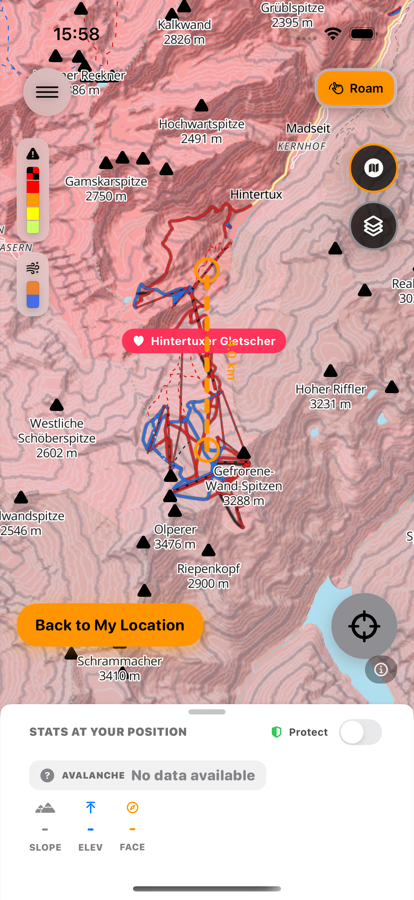
Snow Drift
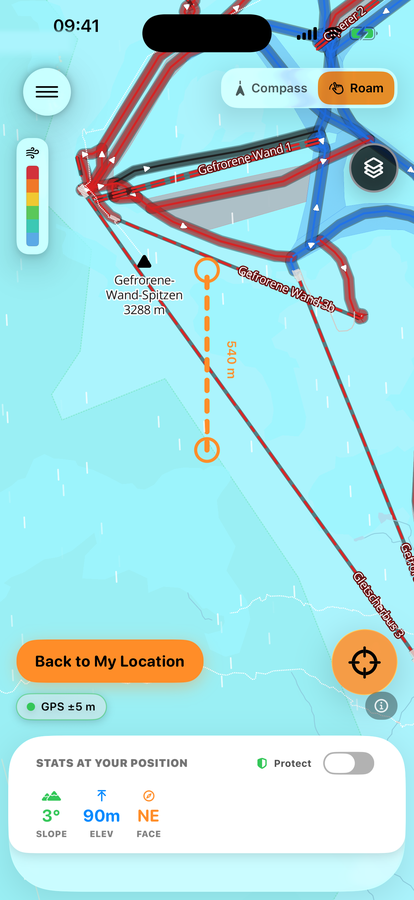
Wind Field
-
Turn on Snow Drift
See which slopes likely picked up wind-transported snow (loaded) and which got blown clean (scoured).
-
Check Wind Field for the raw picture
Use the time scrubber to see how wind direction and speed built up over the last day.
-
Point the lens at a lee slope or ridge
In Shoot/Compass mode, check loading before you commit to a line.
-
Treat loaded terrain as a reason to look closer
Not a reason to skip checking the bulletin.
Free to download · iPhone & Apple Watch
Download on the App Store