Getting mountain conditions onto your Home Screen
Two widgets cover what's happening right now and what's coming tomorrow — and both are driven by the resorts you've favorited in the app, not a separate setting.
Which widgets exist
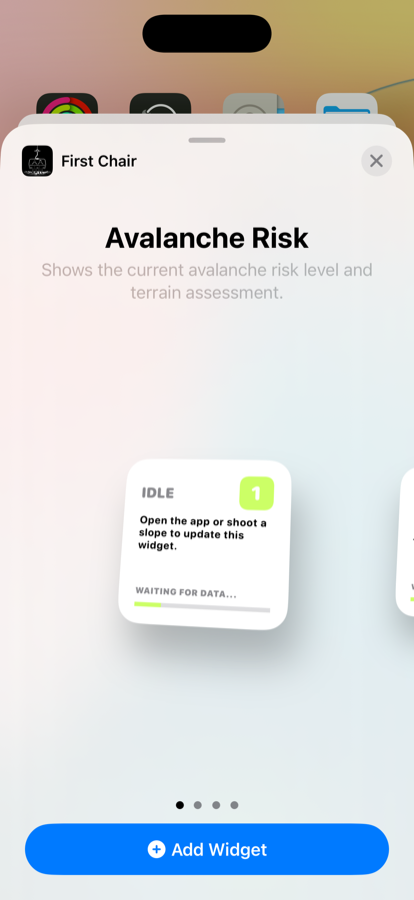
Avalanche Risk
Shows the current avalanche risk level and terrain assessment for wherever you last shot a slope in the app. Small or medium size.
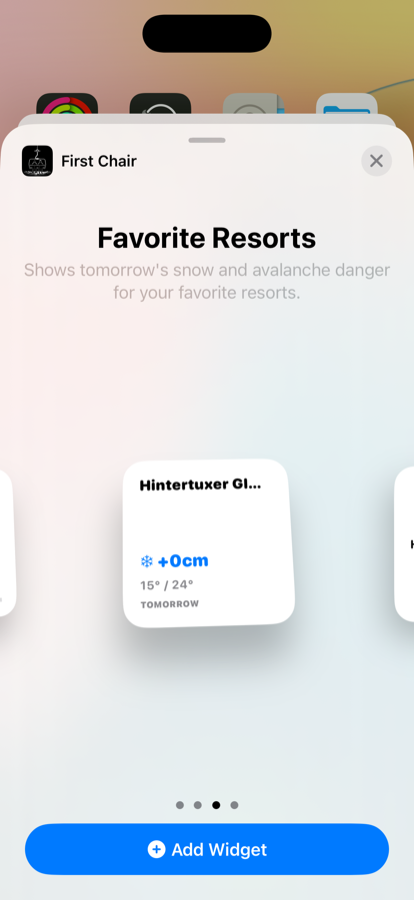
Favorite Resorts
Shows tomorrow's snow and avalanche danger for the resorts you've favorited — no need to open the app to check before a trip. Small or medium size.
Adding a widget
This is standard iOS: long-press an empty area of your Home Screen, tap Edit, then Add Widget. Search "First Chair" and choose a widget and size.
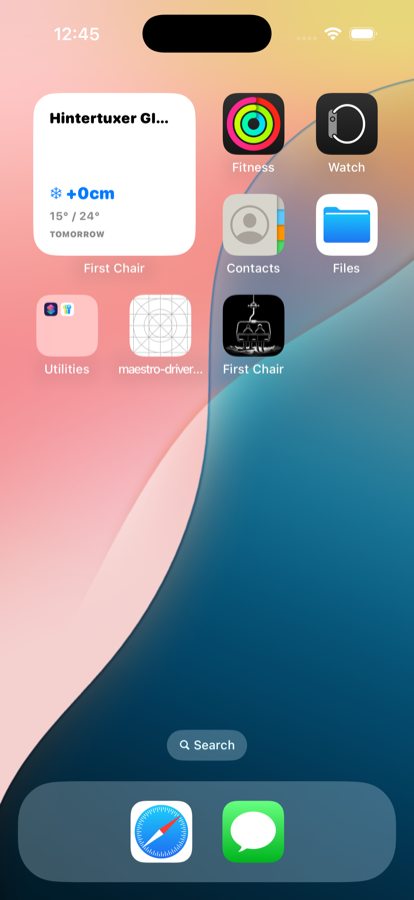
Favorite Resorts, on the Home Screen
-
Long-press an empty spot on your Home Screen
Not an app icon — the background of any page.
-
Tap Edit, then Add Widget
This opens the widget gallery.
-
Search "First Chair"
Swipe through Avalanche Risk and Favorite Resorts, pick a size, and tap Add Widget.
Managing your favorite resorts
The Favorite Resorts widget only knows about resorts you've explicitly favorited — there's no separate widget configuration screen for it.
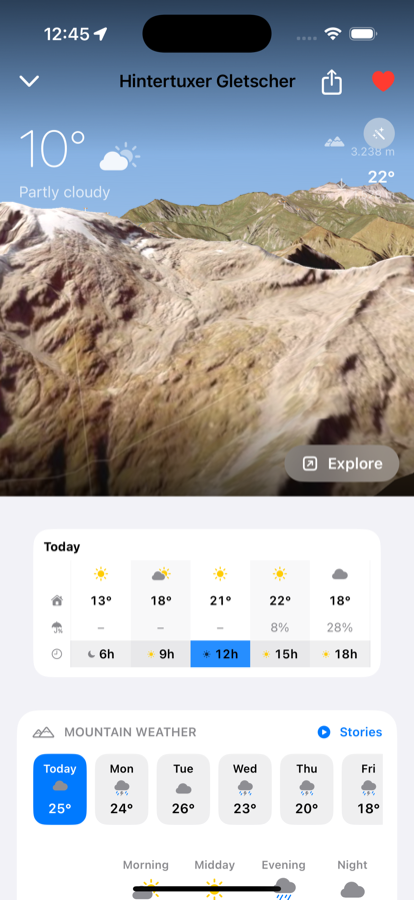
Favorited resort
-
Open any resort's detail page
Search for it or tap it from the map.
-
Tap the heart icon, top-right
Filled and red means it's favorited. Tap again to remove it.
-
Your widgets update on their own
No need to re-add or reconfigure anything — the Favorite Resorts widget just reflects your current list.
Free to download · iPhone & Apple Watch
Download on the App Store